Install Cyp Player on Fire TV
For Fire TV Stick, Fire TV Cube and Fire TV smart TVs. It takes about 5 minutes with the free Downloader app.
Downloader code
9138832
You will type this code in the Downloader app in step 4.
Tap a picture to see it bigger.
On your remote: use the ring to move around and press the middle button to select.
1
Turn on Developer Options
- Press the Home button on your remote.
- Go to Settings (the gear icon) and select My Fire TV.
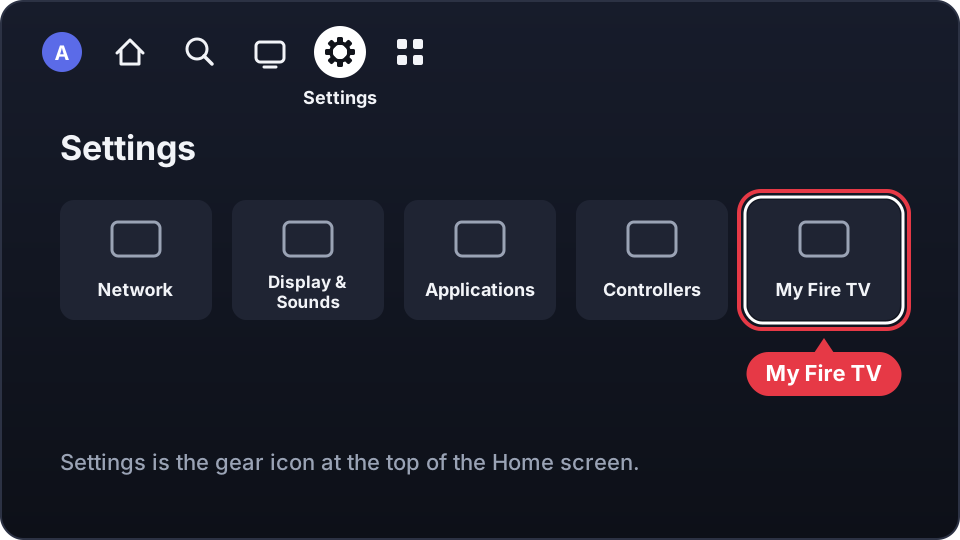
- In My Fire TV, select About.
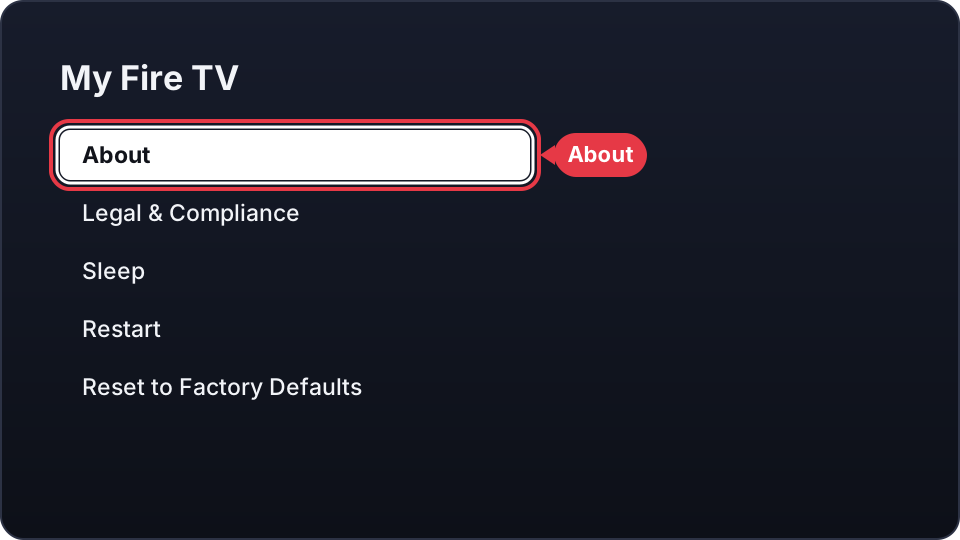
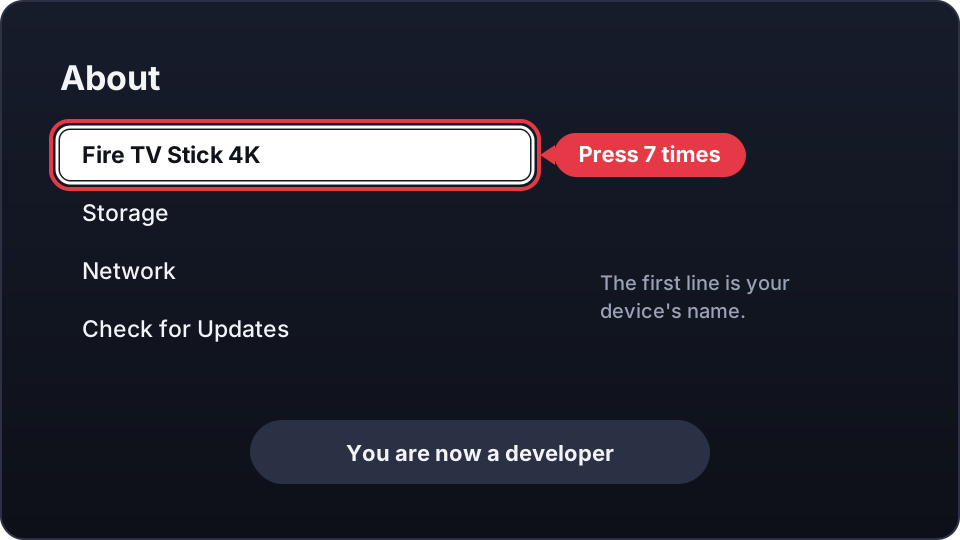
- On the first line (your device's name, for example Fire TV Stick 4K), press the middle button 7 times.
- A message says you are now a developer. Press Back: Developer Options is now in the list.
2
Install the Downloader app
- Press the Home button on your remote.
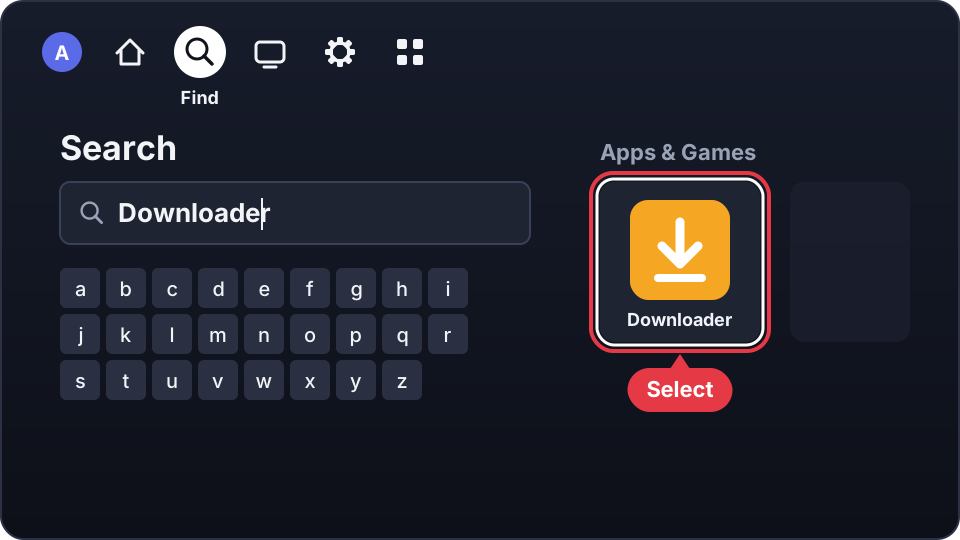
- Go to Find (the magnifying glass) and select Search.
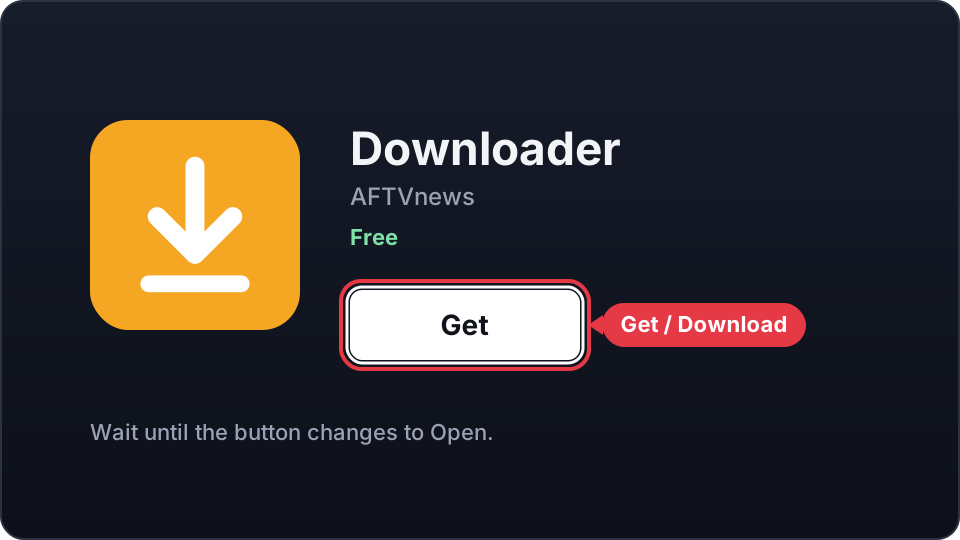
- Type Downloader and select the orange Downloader app.
- Select Get or Download and wait until it is installed.
Downloader is already installed? Go to step 3.
3
Allow Downloader to install apps
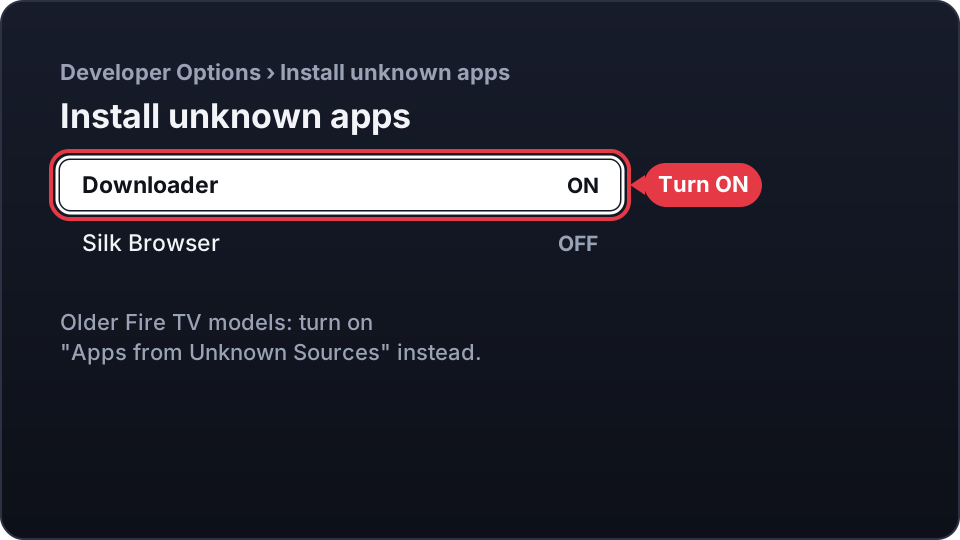
- Go back to Settings › My Fire TV, select Developer Options, then Install unknown apps.
- Select Downloader so it shows ON.
On older Fire TV models, turn on Apps from Unknown Sources instead, and select Turn On if a warning appears.
4
Type the code in Downloader
- Press Home and open Downloader.
- If it asks for access to your files, select Allow. Close the welcome tips with OK.
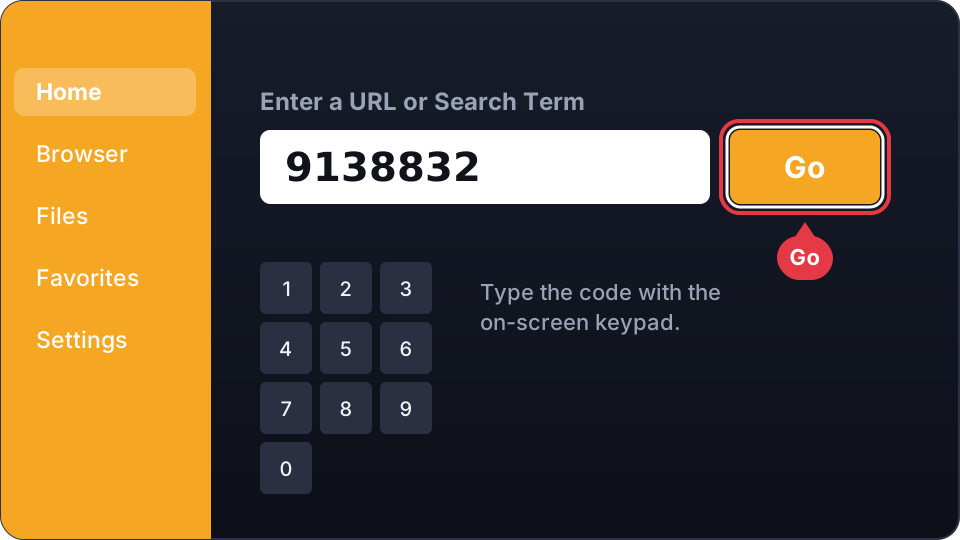
- On the Home tab, select the box Enter a URL or Search Term.
- Type 9138832 and select Go. Cyp Player starts downloading.
5
Install Cyp Player
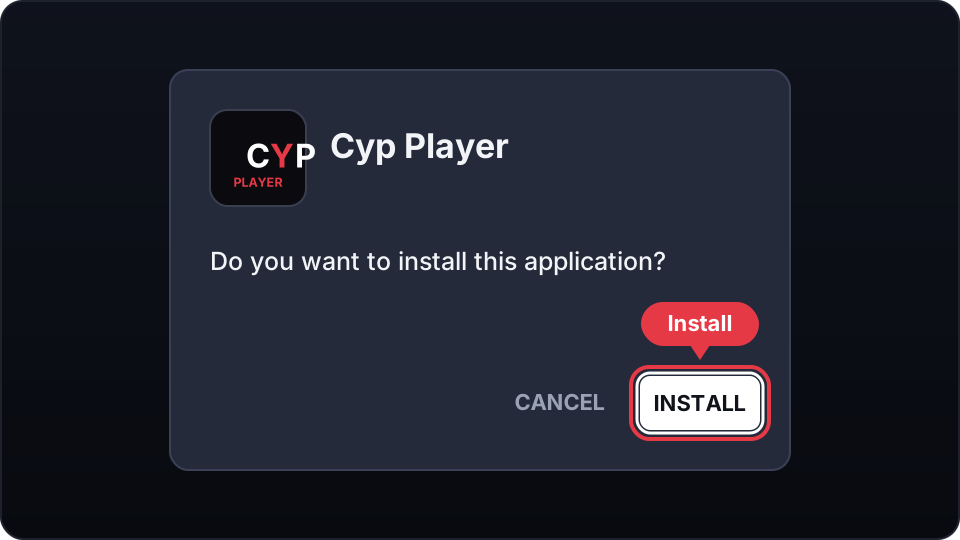
- When the download is finished, select Install.
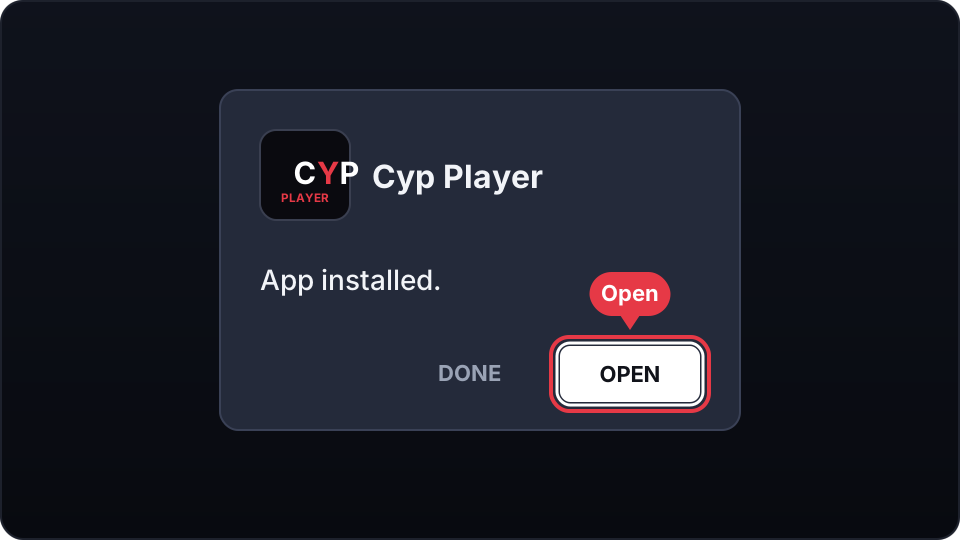
- When it says App installed, select Open. Cyp Player starts.
6
Open Cyp Player
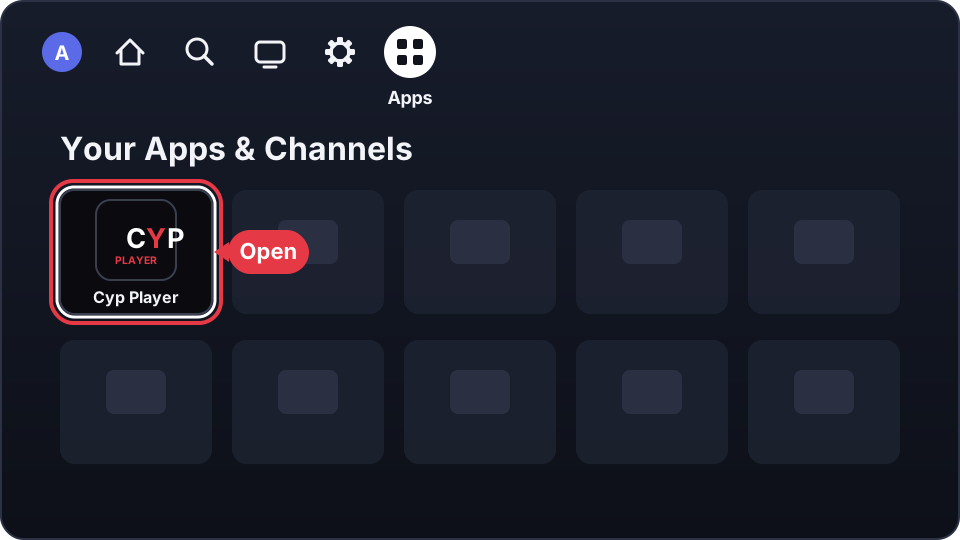
- Press Home and go to Apps (the icon with four squares). Cyp Player is in Your Apps & Channels.
- To keep it on your Home screen: highlight Cyp Player, press the Menu button (☰) on your remote and select Move to front.
- Cyp Player shows your Device ID and PIN. On your phone or computer, sign in with them on our website and add your playlist.
 Sign in and add a playlist
Something not working?
- The code does not work
- Check that you typed 9138832. You can also type the full address aftv.news/9138832 in the same box.
- I can't select Install
- Press Down or Right on your remote until the Install button is highlighted.
- It says there is not enough space
- Uninstall apps you don't use in Settings › Applications › Manage Installed Applications, then try again.
- My device is a Fire TV Stick 4K Select
- The Fire TV Stick 4K Select and other Fire TV devices with Vega OS can't install apps with Downloader. Contact us and we'll help you.
Need help? Email us at info@cypplayer.com